Shared Landing Table Patterns
Project summary
Partnered with design to consolidate personalized and generic landing table patterns into one composable design system package, replacing legacy hard-coded implementations and shipping a refreshed UI in time for tax season with no data migration for product teams.
- 2Table variants
- 5Preset task roles
- 12+Composable slots
Problem
Landing Table experiences lacked a modern, reusable system component.
TurboTax landing pages relied on tables to surface tasks, status, and entry points that help users see what’s complete, what’s left, and where to go next.
These experiences were implemented as legacy, hard-coded implementations outside the design system, limiting reuse and extensibility within the modern product architecture.
The work required defining a shared, extensible package that could support multiple use cases while aligning new design specifications with the implementation.
Discovery
Understanding the current state of the project and product.
Since I was not the initial engineer on the project, I conducted an audit of the current state of what work had been done on the project and worked with the lead designer to understand gaps and opportunities for improvement.
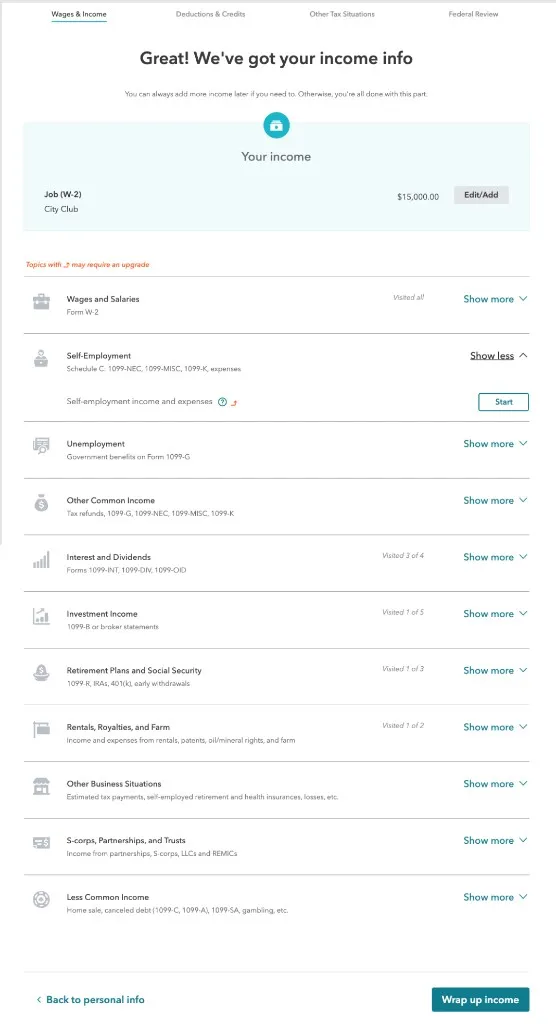
Based on the audit, I recommended starting with a clean-slate package that aligned with design on established logic and naming. With tax season approaching, legacy task data had to work as-is, with no migration for product teams. We settled on the component API before asset rework and shipped only after Storybook documented the states and config teams would adopt.
Approach
Configuration and composition drive both table variants.
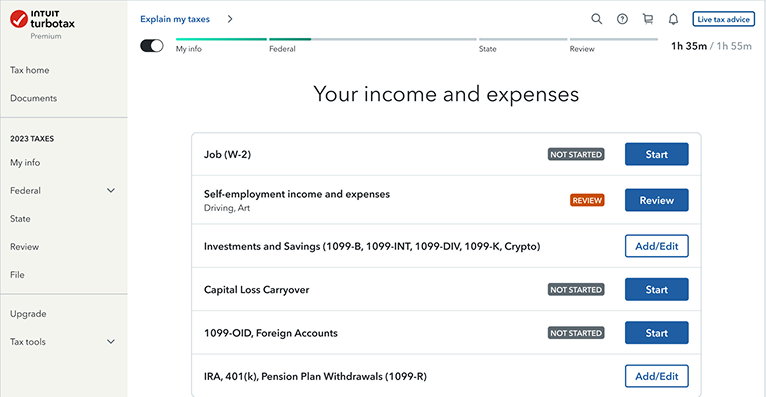
Rows are driven by configuration, not markup: PersonalizedTable for task rows with status and actions; GenericTable for browse-to-add flows.
Each row’s role maps to a preset status label. Rows get badge styling when a status applies, or a dollar amount if the item is in progress.
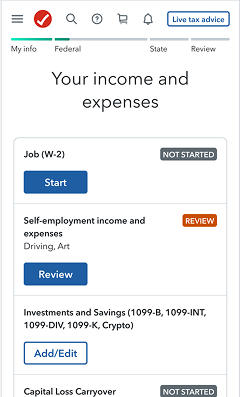
Defining years[] sets desktop column headers; the same values reflow into stacked year rows on mobile.
Desktop
Mobile
What shipped
Component package and Storybook handoff.
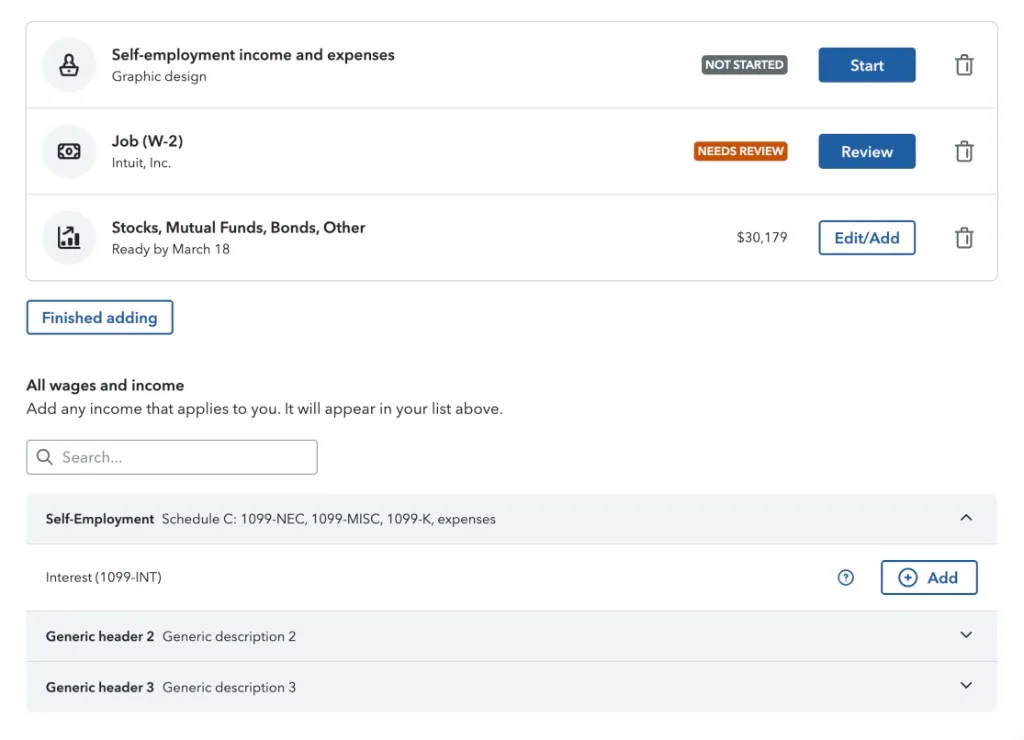
I shipped the design-system component package and Storybook documentation that product teams adopted on the modernized stack. Two previously separate patterns now share one API (personalized task rows and browse-to-add flows), released for tax season with no changes to existing task data.
The package exposed two composable entry points:
- A personalized task table (year-over-year columns, status badges, row actions)
- A generic browse table (grouped accordions and add-to-list flows).
Partnerships
From component package to implementation.
Product teams consume Landing Table through assets, the semantic content layer in Player. The design-system package defines configurable slots and behavior in Storybook; those component configurations are mapped to semantic asset contracts that Player transforms and renders in product experiences.
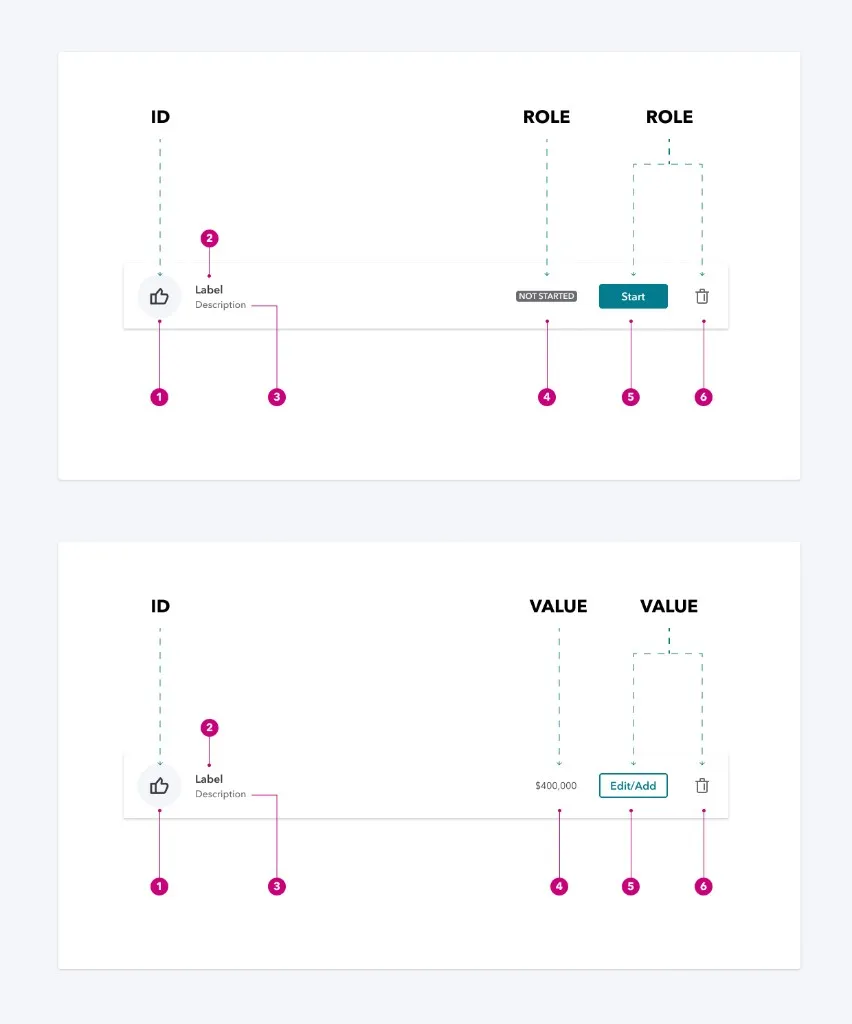
I annotated Figma specs with ID, role, and value callouts so designers and developers could see which data fields drove each slot: stable identifiers, role-based status and actions, or value-driven amounts and edit flows.
Takeaways
What I learned, and what I'd carry forward.
Learnings
Converting this component to assets showed me that flexible APIs need their decisions made explicit early, because handoff breaks down when logic is still open at conversion time.
- Dynamic year-over-year column headings added complexity the primitive table didn’t anticipate.
- Writing Storybook examples alongside Design surfaced gaps in the specs that static mocks never caught.
What I’d carry forward
I’d walk through responsive behavior, role-driven CTAs, keyboard navigation, and empty states with Design before locking the API, since those details often aren’t fully specified upfront.
- Shared icon mapping baked in before generic rows need it
- Accessible keyboard behavior even when it isn’t spelled out in the design specs
Interactive demo
Explore the pattern in practice.
This demo uses fictional sample data and the same interaction patterns product teams adopted through assets and Storybook.
How to explore
Add more income. Open the catalog and add a task.
Search. Filter generic catalog items or expand and collapse all.
Delete. Remove personalized row items, or try clearing your whole list.