Documentation Overhaul
Project summary
Rebuilt the internal documentation platform on Astro to align with open source, connected external package docs through automated page generation and shared search, and shipped a scaffolding system so plugin teams could publish a full docs site from minimal config.
- 30%Fewer Slack escalations
- 15Plugins automated
- AstroInternal + OSS stack
Problem
Internal and open source docs were disconnected.
Internal documentation ran on a legacy system that had drifted from how we published open source docs. As a result, internal content was often obsolete or completely missing which resulted in manual escalations to support channels.
There was also no way to review documentation changes unless a user ran the build locally, which resulted in slower feedback loops where some changes were still not noticed until they were deployed.
We needed to solve for this pain point so that any updates we were making were easy to review and publish.
Discovery
Alignment meant one stack, one content path, and less manual publishing.
Fundamentally, the goal of this line of work was to reduce the manual Slack escalations. We started by analyzing patterns in the support channels and determined a few key theme:
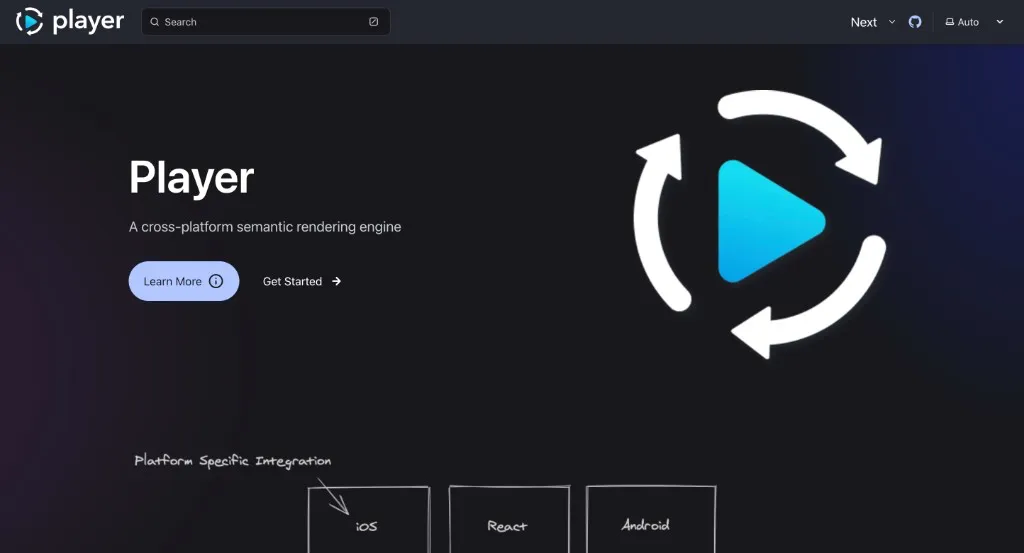
80% of support requests over the past fiscal year were tied back to Player plugins.
We attributed this rate directly to documentation issues, where the documentation was either missing, outdated, or not easily discoverable.
Having this key data point meant we could spike on a solution that would uplevel how the team could easily surface the right plugin information to users in a way that was easy to understand and use.
Approach
One stack first, then automate the manual parts.
The strategy was to stop maintaining two disconnected docs systems, then automate everything so that documentation could stay up to date with minimal manual effort.
It was critical that we interviewed teams to understand their needs and pain points so we could build a solution that could be adopted seamlessly into their existing workflows.
Our research uncovered that teams already had some documentation in the form of README files in their packages, but they were not always up to date and did not always follow a consistent format.
What shipped
A shared docs platform, plugin publishing path, and support-ready exports.
Shared platform and federated content
By moving the internal docs site onto Astro, we now matched the open source stack. Existing README content stayed in the package repos: a custom script generated uncommitted MDX at build time to be read by Astro, so teams did not have to convert content to land in the new system.
Astro was not a required dependency for other teams, because we were able to leverage the functionality through npx in the groovy script.
With these new pages in place, Pagefind indexed internal docs and open source content together which meant readers could search one site without knowing which system owned a page.
Plugin publishing and PR previews
For plugin teams, scaffolding generated a full published docs site from a docs config they filled out. Separately, teams imported a Groovy script I created as the only CI update.
Inside a given package’s README, installation instructions were inferred from the package.json, and I added comments agents could read to fill out that section for developers as part of their workflow.
Scaffolding changed the publishing default for plugin teams too: instead of standing up a docs site by hand, they could start from the package README and ship a structured site with far less setup.
A few caveats that were important to note:
- Teams that had pre-existing README files wouldn’t get the auto-generated installation instructions.
- Platform tabs required a specific format within the README to be properly rendered, but we accounted for this by adding commented examples for AI agents to reference.
Alongside publishing, preview links closed the review gap on all docs-related PRs and provided both editor and reviewer improved visibility into documentation changes.
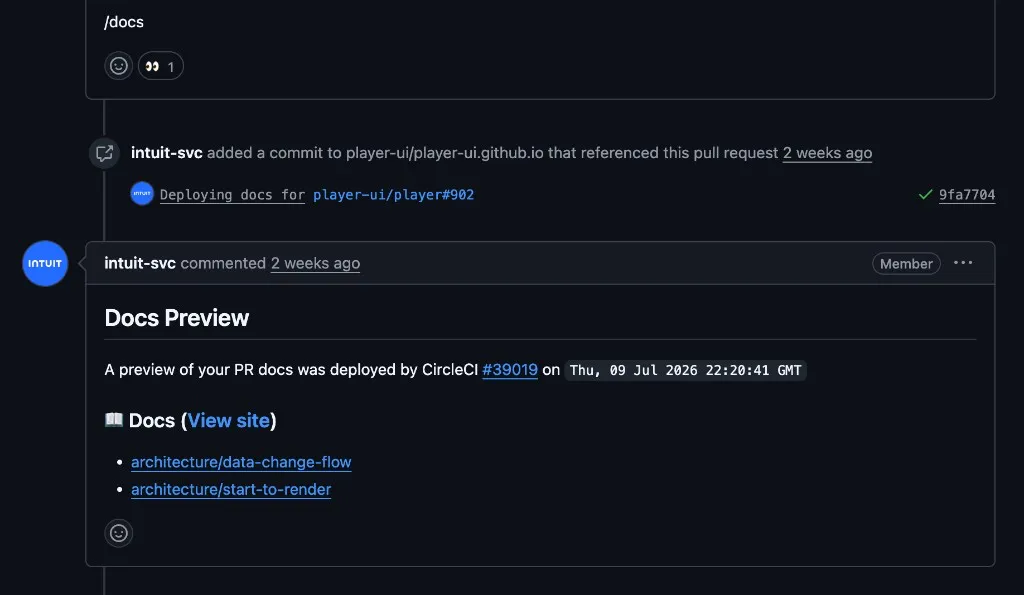
We needed to be thoughtful about how we triggered these preview links across the different systems since they were used in different ways.
- Internal repos: The Groovy script automatically generated a docs preview link and posted it as a PR comment.
- Open source: A preview link was triggered by adding a /docs comment on any PR.
Because the open source repo typically had non-documentation based changes in the same PR where docs were being updated, the comment also featured a list of docs that were affected by the changes to make it easier to review.
Slack-reachable docs
I partnered with our content specialist on a script that exported markdown-only versions of the content. MDX-powered pages had been effectively unreachable in Slack; the export made it possible for our Slack response bot to suggest solutions along with related links.
Once docs were searchable in one place and shareable in Slack, users were able to troubleshoot on their own without needing a human to investigate the issue.
Takeaways
What I learned, and what I'd carry forward.
Learnings
Meeting users where they were was extremely influential with how we approached this work. Instead of prescribing a completely new process and tech stack, we created utilities and a system that could leverage pre-existing content and workflows.
- Users were less concerned about needing to learn new docs patterns if AI could fill out the details for them.
- Updating our support documentation to include MCP installation instructions helped users find answers directly in their IDE.
What I’d carry forward
I’d keep investing in areas of tooling that still feel manual so that the team can focus on building and shipping features instead of maintaining documentation. I also wanted to explore how these solutions could extend to other systems within the organization.
- Treat docs tooling as a product: generation, search, export, and previews are part of the experience.
- Any new plugins should have a docs site scaffolded for them automatically as part of a paved road experience.
- Measure success where the pain showed up. For this work, that was support channel escalations, not page views alone.
Interactive demo
Update a plugin docs site.
Edit the package README and watch the published docs preview update.
@player/metrics-check
Export content complexity and file metrics during validation.
Installation
Automatically generated during docs initialization...
Usage
- Runs during validation
- Writes per-file metrics for CI
- Supports warning and error thresholds
How to explore
Edit the markdown. Change the title, body copy, or bullet list in the README editor.
Watch the preview. The docs pane renders your markdown live.